Flows
A flow defines what should be validated, how it should be validated, and what to do if something isn't as expected. It is attached to an event: when that event occurs, the agent runs the flow.
A flow is built as a diagram of connected nodes. There are four types of node, and each does one job:
You build a flow visually by adding these nodes and connecting them, with no code.
The four node types
The starting point of every flow. Attaches the flow to the event that triggers it.
Retrieves the data a flow needs to check, from a selected source.
Evaluates a condition and branches the flow into two paths.
Carries out a response through an integration.
How the nodes connect
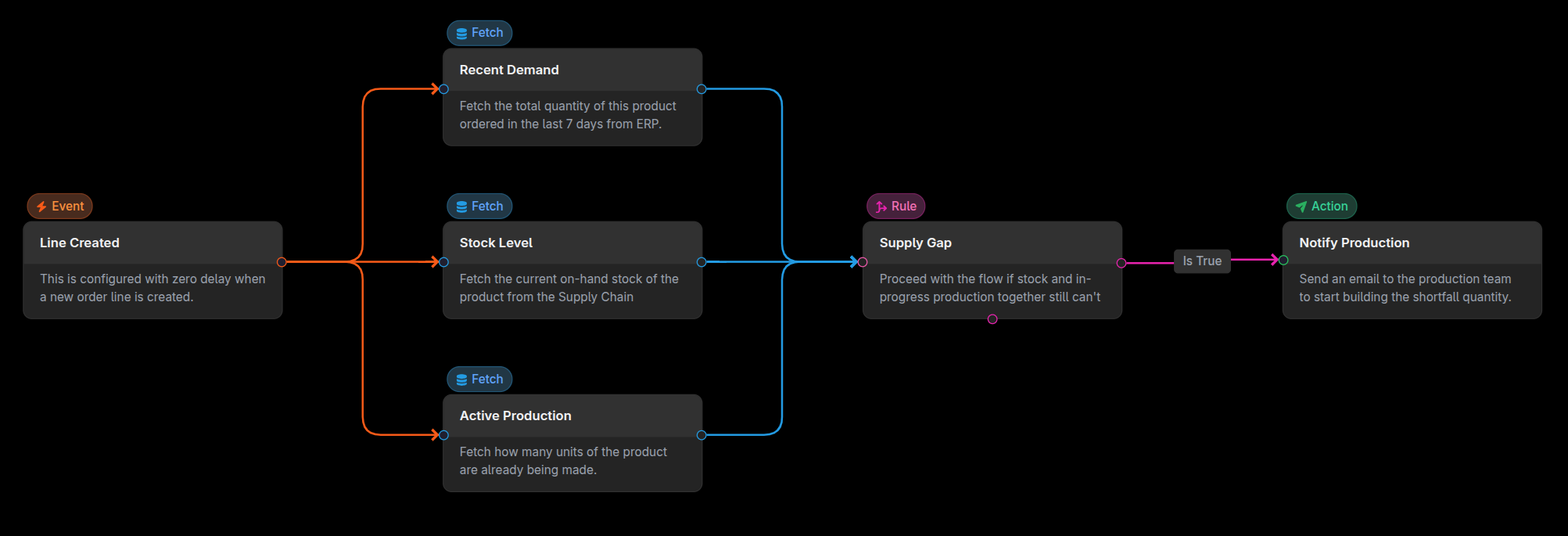
A flow runs from its Event node through Fetch, Rule and Action nodes. A typical shape is:
- Event starts the flow when its event occurs.
- Fetch retrieves the relevant data from a source system.
- Rule evaluates the fetched data (and event parameters) and branches on true/false.
- Action runs on the branch reached, sending through an integration.
Flows are not limited to a single straight line. You can add multiple Fetch, Rule and Action nodes and arrange them to express the validation logic you need.
Where flows live
Flows are created inside a workspace, and access to a flow is controlled through workspace access. Unlike events, sources and agents (which are shared across the organization) a flow belongs to the specific workspace it was created in. See Workspaces for how workspaces organize and secure flows.
Versioning a flow
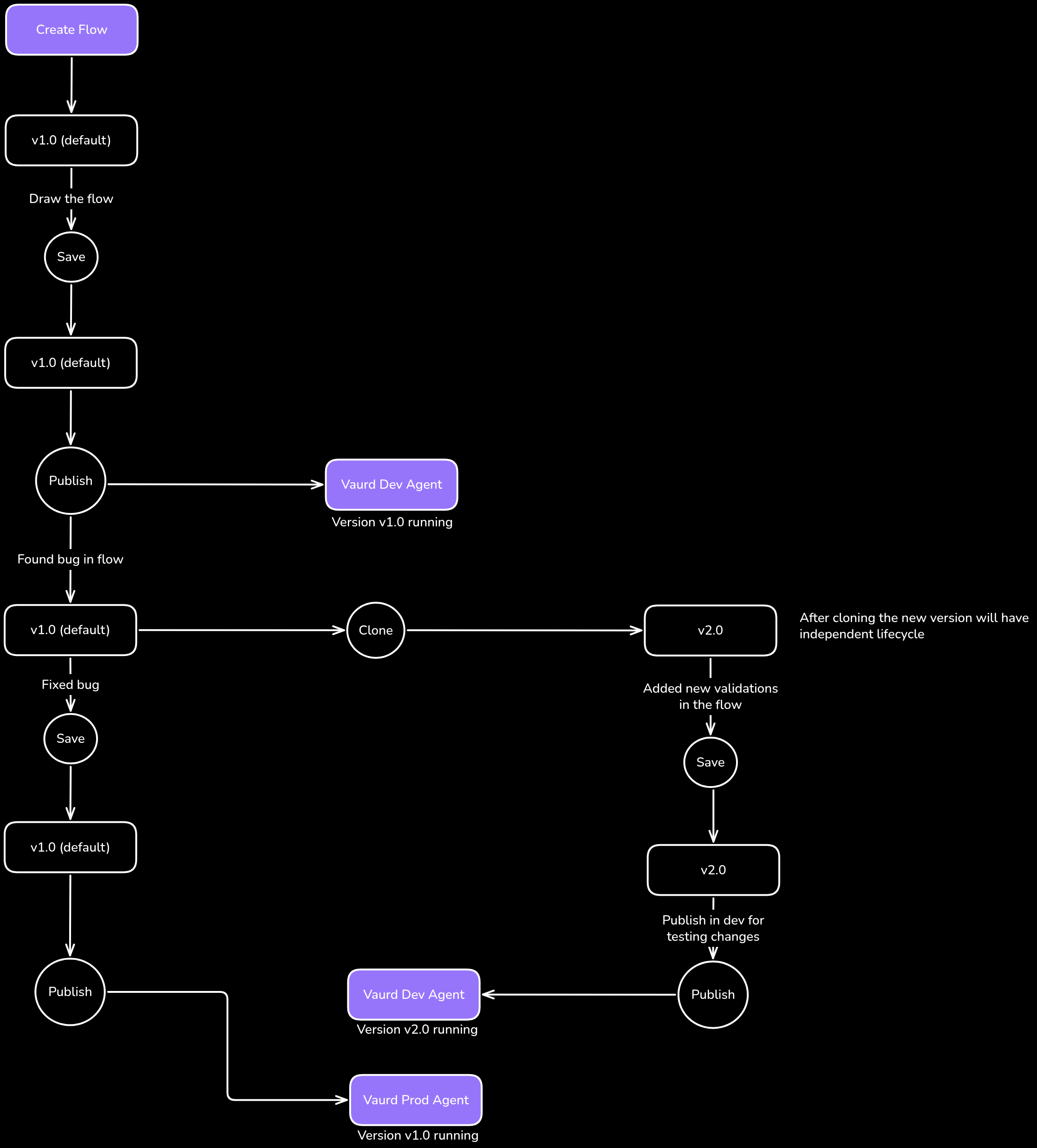
Vaurd provides lightweight versioning model for flows so you can track changes and gradually deploy your changes in an Agent:
- Each version of flow can be cloned from any other version.
- Versions can be individually deployed in any agent.
- Each version of flow can be updated individually without affecting other versions of a flow.
Following versioning diagram shows example versioning timeline and logical representation of how flow versioning behaves.
Publishing a flow
A flow only runs once it is deployed to an agent. When you publish a flow, you choose which agent to deploy it to, and that agent schedules and runs the flow whenever the event occurs. Only one flow version can be deployed in an Agent. Multiple agents can run different versions of a same flow.
Because you can register multiple agents (one per environment such as dev, QA or prod, or one per legal entity), publishing to a specific agent controls exactly where a flow runs. The same flow can be deployed to different agents as needed.