Source systems
A source represents a data system that your Vaurd flows validate against: a database, data warehouse or ERP. A flow reads the data it needs from a source. You can create as many sources as your organization needs.
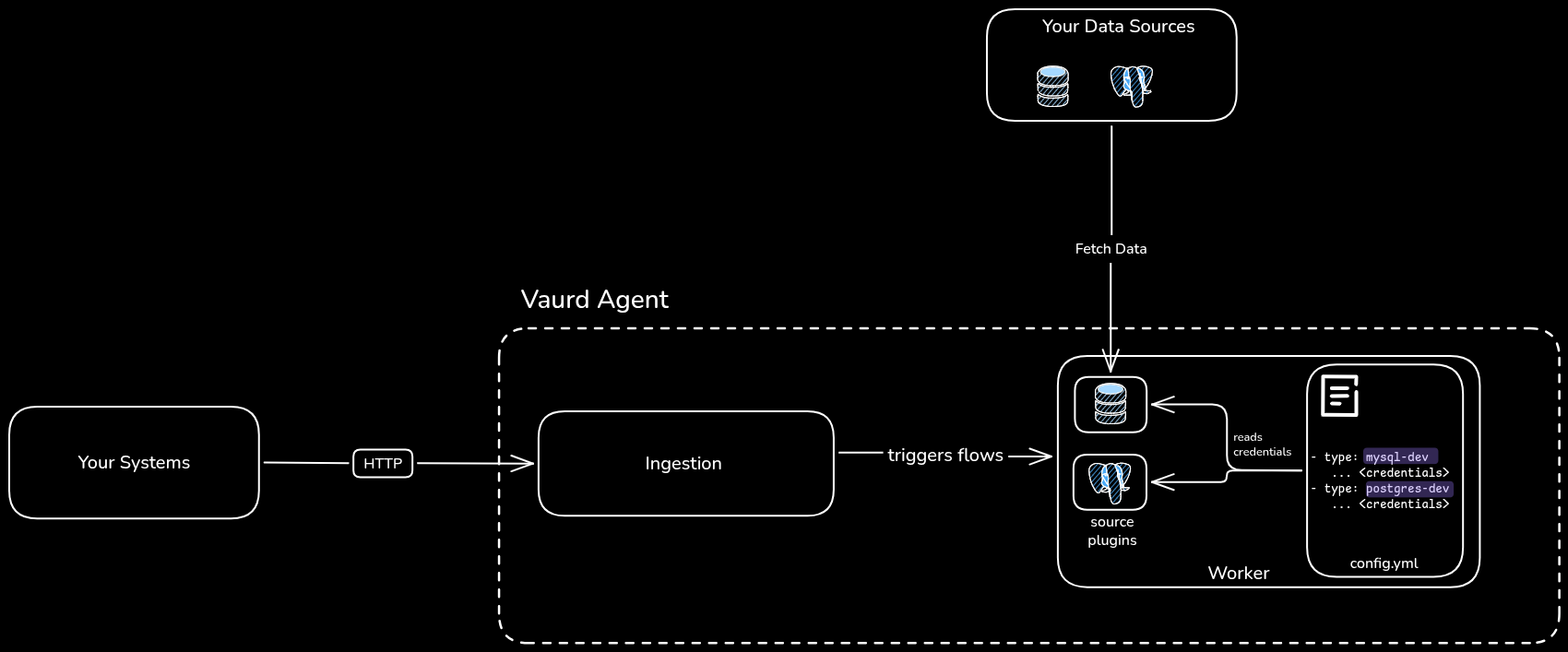
A source is a metadata definition, not a live connection. It describes what the system is; the credentials used to connect to it are configured separately in the agent, inside your own environment.
Scope
Sources are defined at the organization level and are shared across all workspaces in your organization. Any flow, in any workspace, can use any source your organization has defined. Sources belong to your organization and are not visible to other organizations; each organization defines and manages its own sources.
Supported source types
SQL Server, MySQL, PostgreSQL.
Databricks, Snowflake, Google BigQuery, Athena.
Via Dataverse (for Microsoft ERP products).
What a source contains
You create a source from the Vaurd web application. When you create a source, you define:
Creating a source
Sources are created in the Vaurd web application, under Configure → Sources.
- Open Configure → Sources and select New Source.
- Enter a Name (the display name) and a Technical Name (used to reference the source in your agent's configuration).
- Select a Source type from the supported types.
- (Optional) Add a Description.
- Select Create.
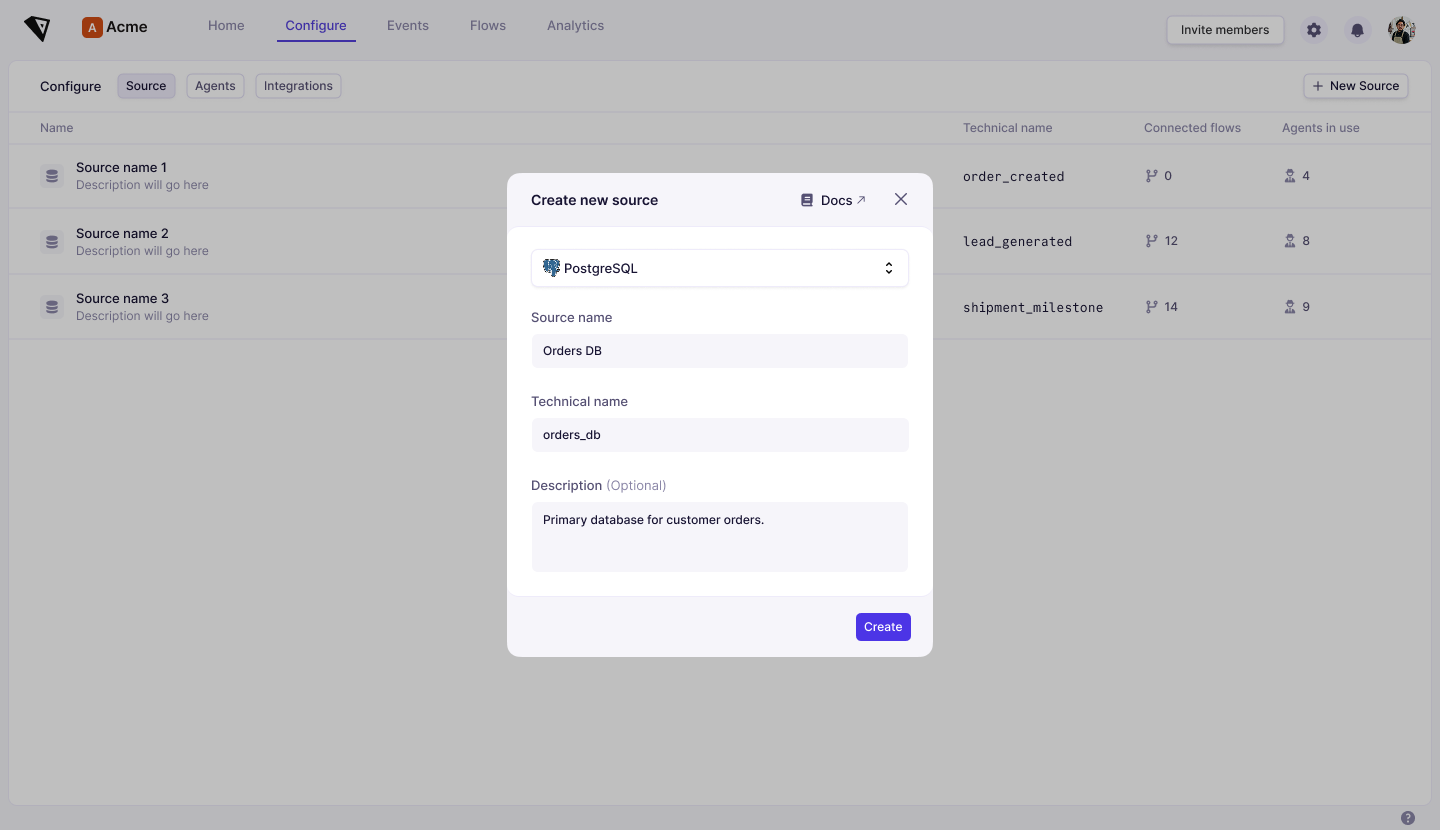
Credentials are not entered here. Creating a source only registers its definition in the platform; you supply the connection details separately in the agent configuration (see below).
Configuring source credentials in the agent
Because the agent runs inside your environment and connects to your systems locally, the agent (not the platform) holds your source credentials. You provide them in the agent's config.yaml file, under the sources section.
Each entry maps a source to its connection details:
database_mysql).For example:
sources:
  - name: mysql-source    # should reference technical name of your source defined in platform
    type: database_mysql
    params:
      host: localhost
      port: 3306
      user: root
      password: my-secret-pw
      database: testdb
At runtime, the agent uses these credentials to connect to the source and fetch the data your flows need. Because credentials live only in the agent config within your environment, Vaurd never stores or transmits them.
Using sources in flows
To read from a source, a flow uses a Fetch node, which selects the source and queries it. See the Fetch node for details.