Events
An event represents a business activity that Vaurd should respond to, for example an order placed, a quote generated, a lead created, a payment made, a subscription cancelled, or a shipment reaching a milestone.
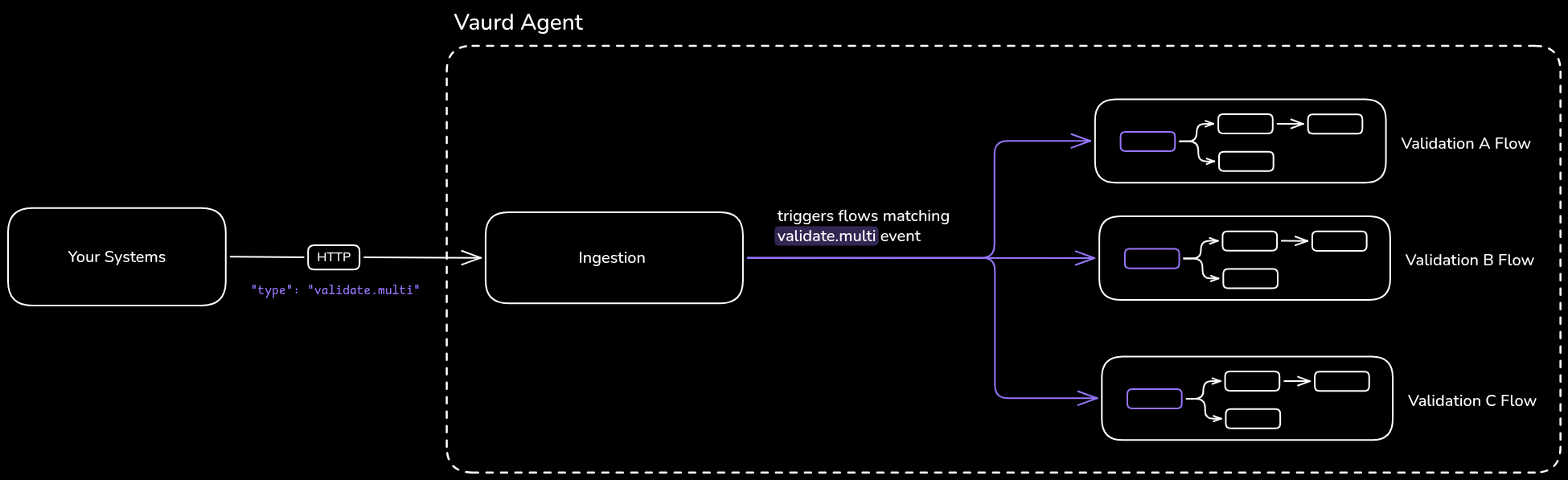
An event is a standalone entity, defined and managed on its own. It is not tied to any source system or flow. Your systems emit events, and flows attach to them: when an event occurs, Vaurd runs every flow attached to it. One event can trigger many flows.
Event type
A fundamental business activity (Place Order, Cancel Subscription, Payment, and so on). Functional events are emitted by your own systems.
What an event contains
An event is defined by the following fields:
Creating an event
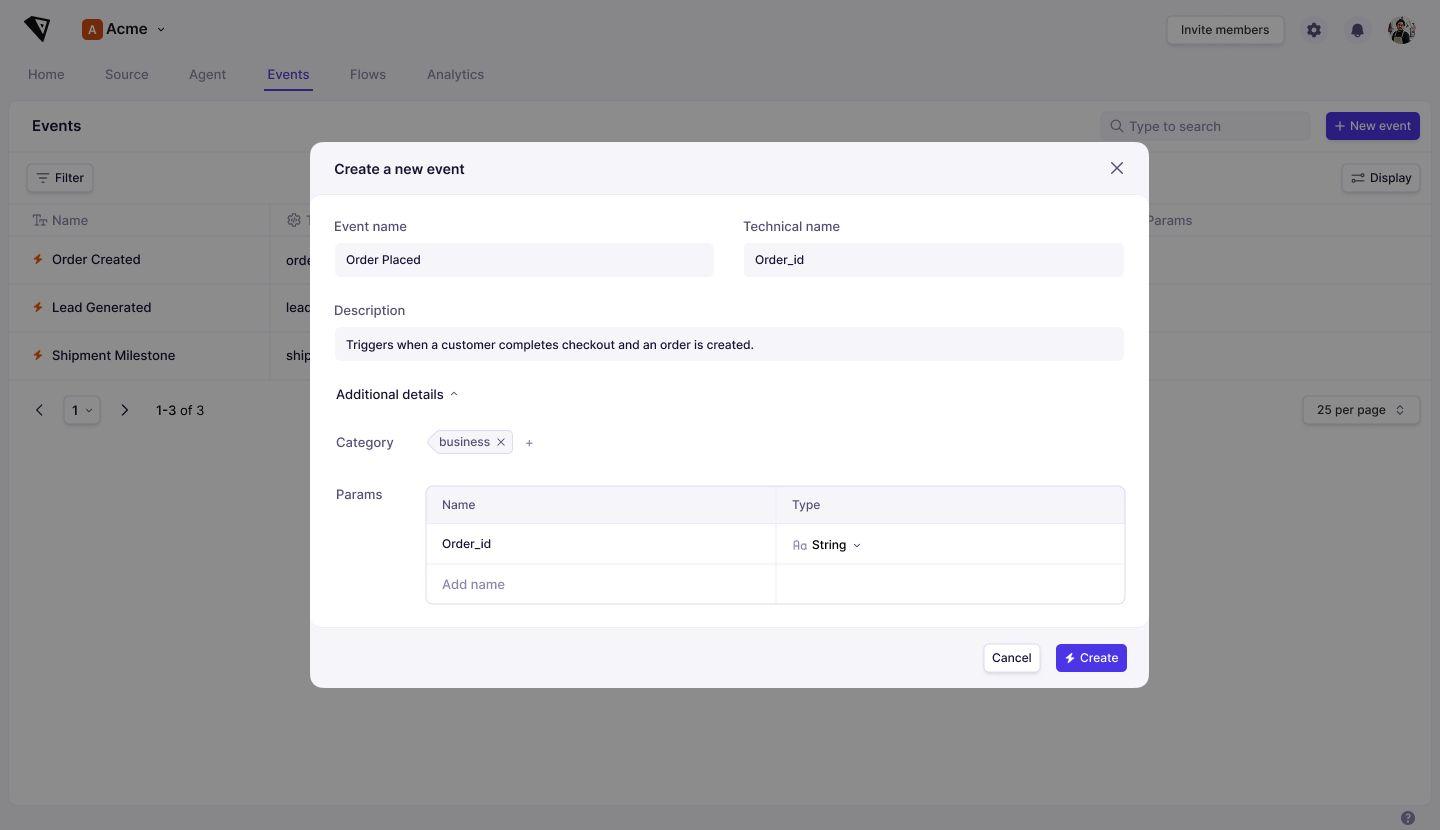
Events are created in the web application, under the Events tab.
- Open the Events tab and click New Event.
- Enter an Event Name (the display name) and a Technical Name (used when the event is emitted from your systems).
- Add a Description. (Optional)
- To add parameters or a category, expand Additional Details (Optional)
- Params: add each parameter with a Name and a Type.
- Category: search for an existing category, or type to create a new one.
- Select Create.
The event appears in the Events list and can be attached to flows.
How events are emitted
Your backend systems emit events. When an activity happens, your system sends the corresponding event, with its parameters, to the agent running in your environment:
- Ingestion API: send the event to the agent's ingestion API over HTTP.
The agent receives the event and triggers every flow attached to it. When sending the event to agent, technical name must be sent. This technical name is used to refer to event being received and scheduling matching flows. Following is the structure of Ingestion API Request:
Method: POST
Path: <agent url>/api/v1/ingest
Body:
{
    "type": "<technical name>",
    "data": {
        // payload data with parameters defined in platform
    },
    "id": "<unique id>",
    "source": "<source sytem sending event>",
    "specversion": "<spec version>",
    "time": "2026-03-27T00:04:17.155Z" // UTC timestamp
}
Where events are defined
Events are created and managed in the platform application; they cannot be created from the agent. Events belong to your organization: they are defined once and available across your whole organization, and are not visible to other organizations.
Using events in flows
To use an event, attach it to a flow with an Event node, the required first node of every flow. See the Event node for details.