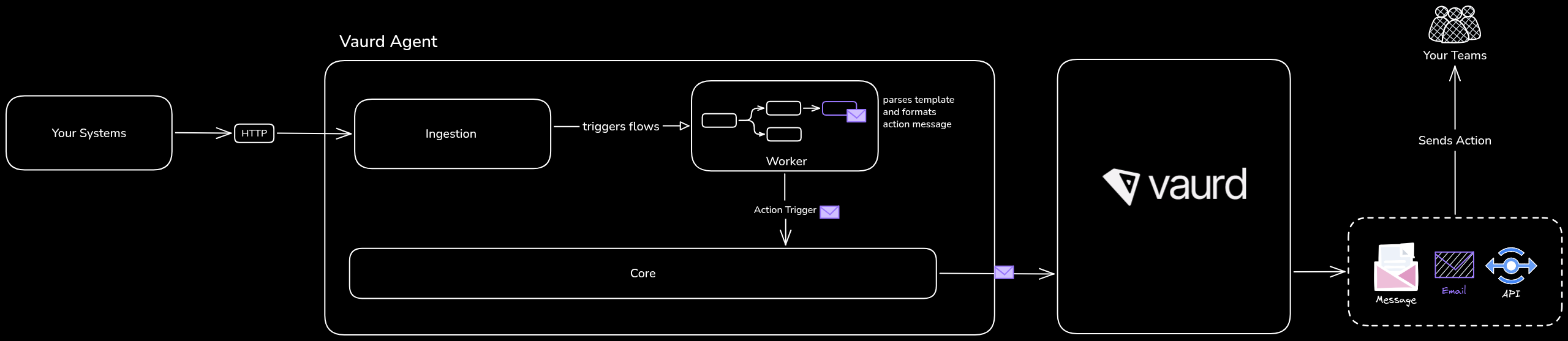
Action Integrations
An action is what Vaurd does based on the result of a rule. When a flow evaluates a rule, the outcome (pass or fail) determines which action runs, typically to notify someone or hand off to another system. For example, when an expectation is not met, a flow can send an alert or call an external API.
Actions rely on integrations. An integration is a reusable connection to an external service (an email account, a Slack workspace) that you set up once in the platform. Once an integration exists, any flow can use it: the flow's Action node selects the integration and defines what to send.
Action types
Vaurd supports the following action types:
Send an email notification through Outlook or Gmail.
Post a message to Slack.
Call any external endpoint. Use this to notify another system, or trigger downstream logic such as reconciliation.
Creating an integration
Setting up an integration has two steps: create it, then connect the account.
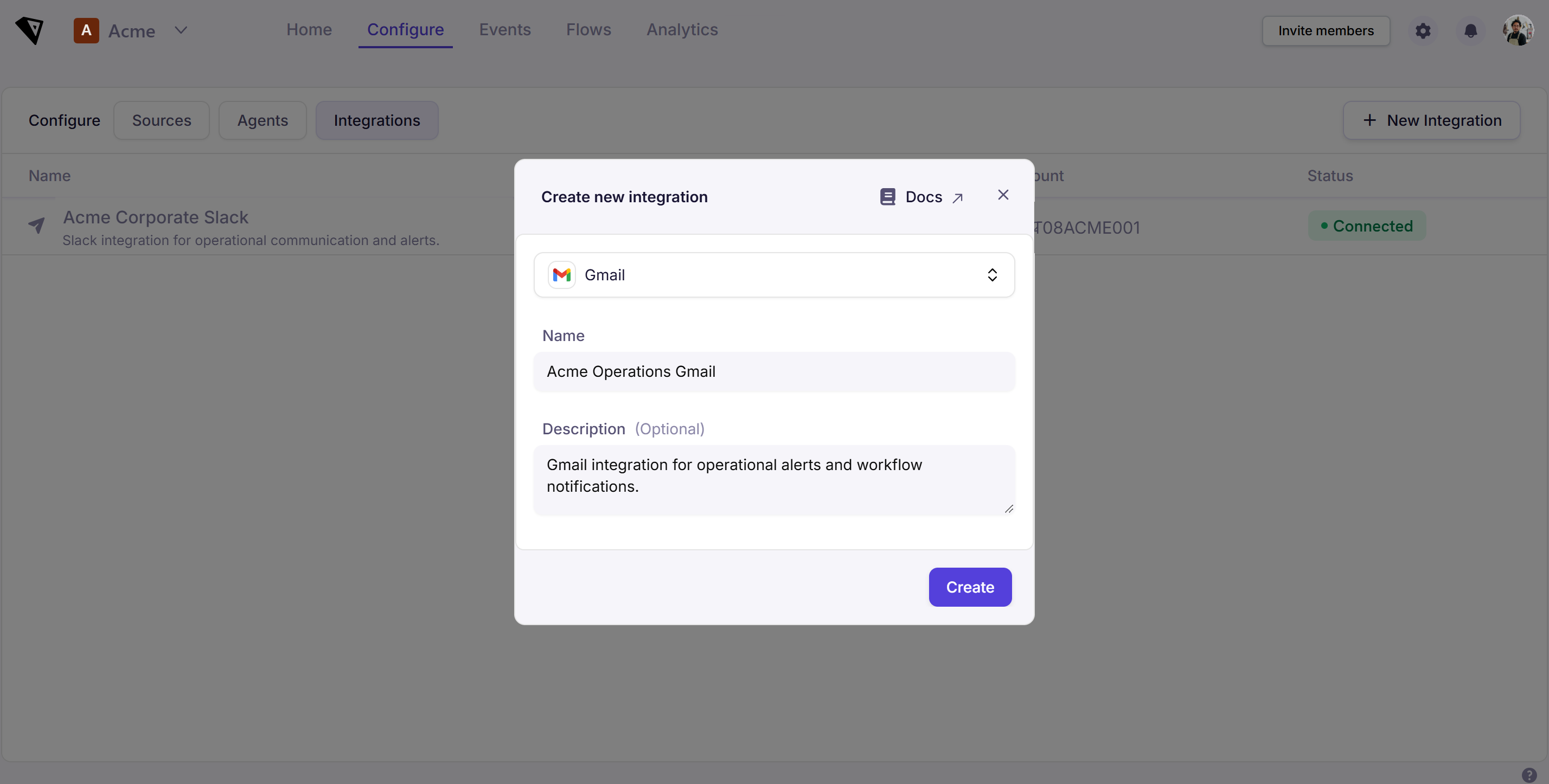
Step 1: Create the integration
- Go to Configure → Integrations.
- Select New Integration.
- Choose an Integration type (for example Gmail, Outlook or Slack).
- Enter a Name, and an optional Description.
- Select Create.
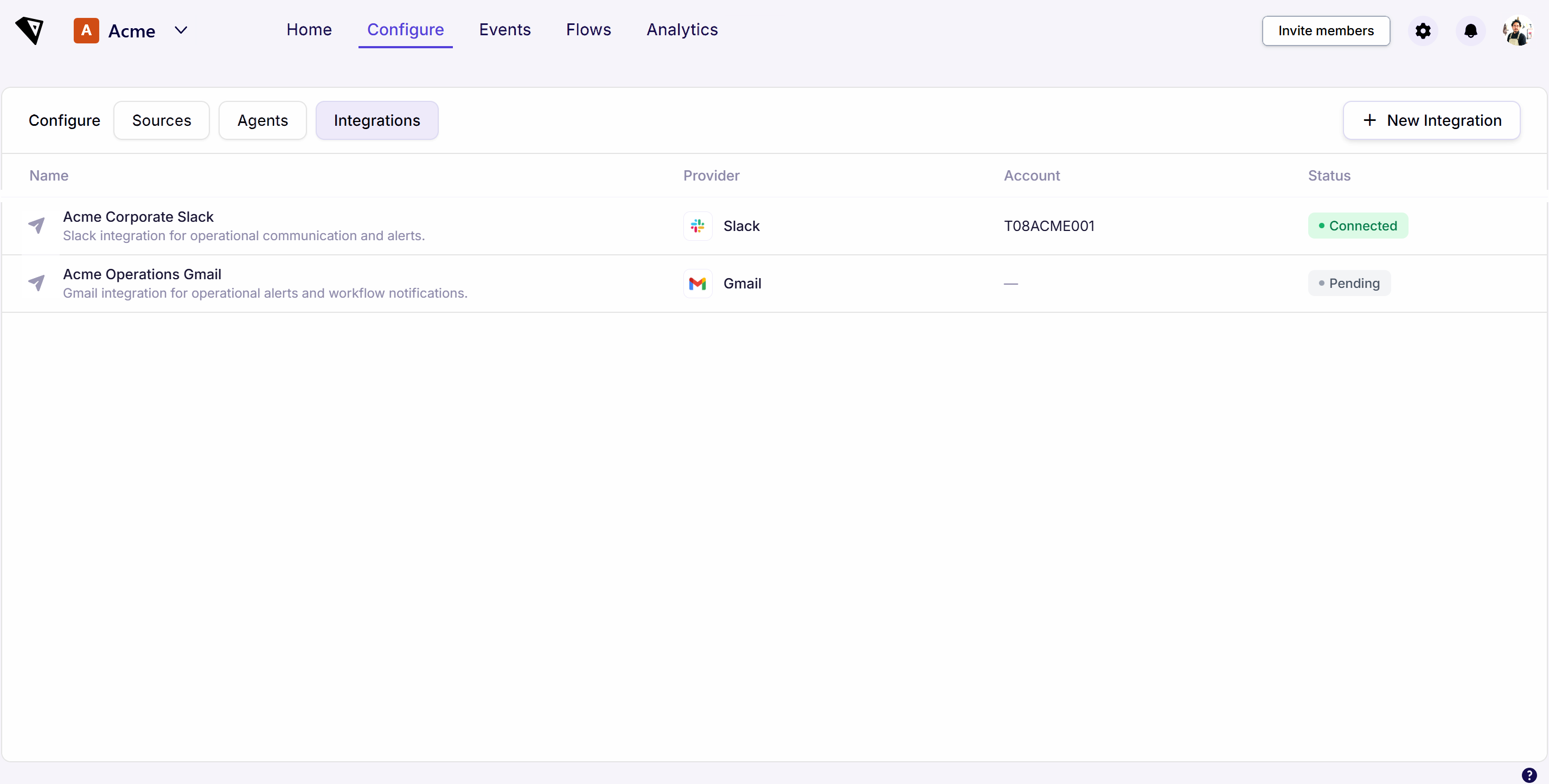
The integration now appears in the Integrations list with a Pending status; it has been created, but no account is connected yet.
Step 2: Connect the account
- Select the integration from the list to open its details.
- Under Connect account, select Connect [provider] (for example Connect Gmail).
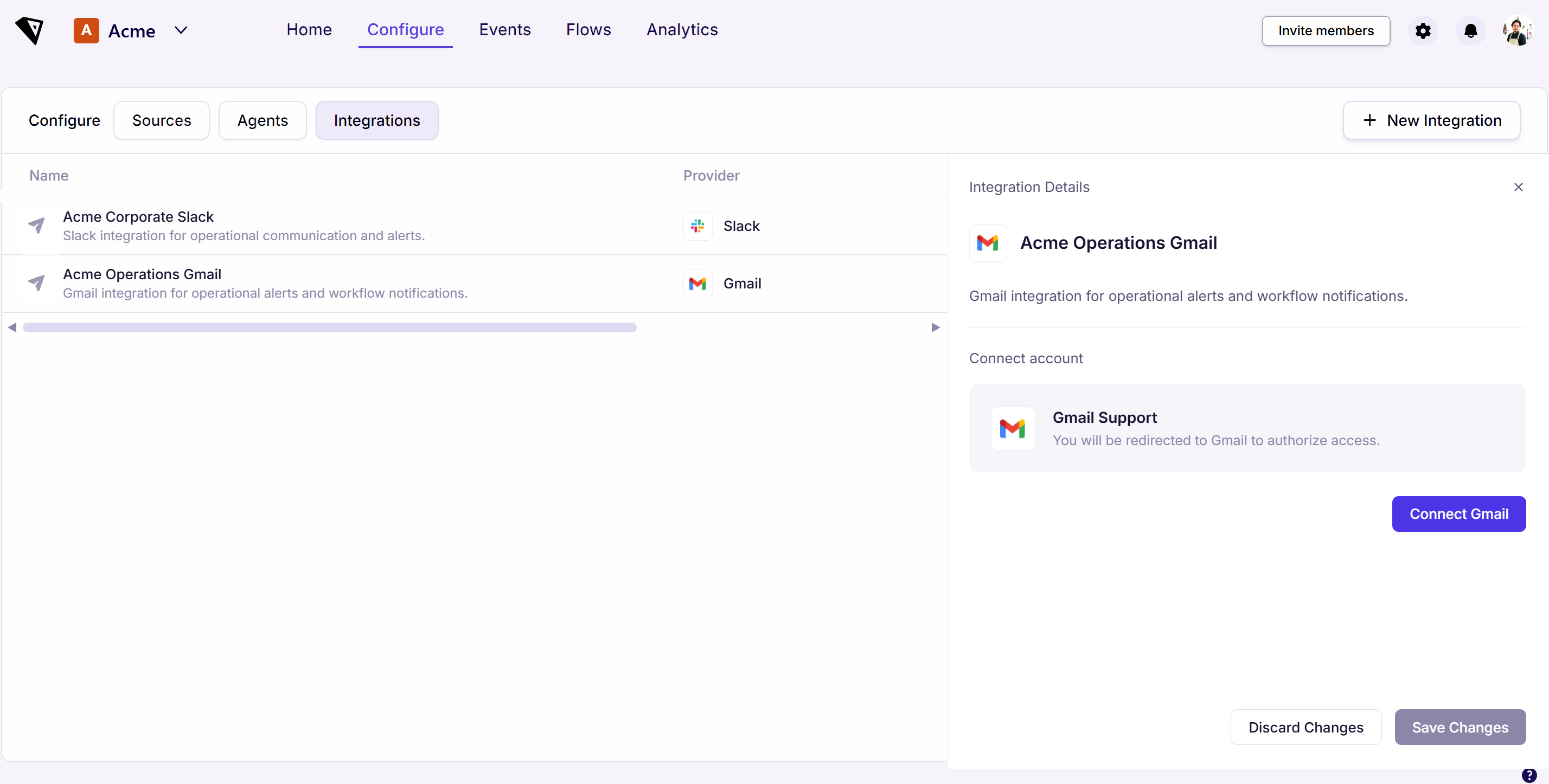
- You are redirected to the provider to authorize access: sign in and choose the account you want Vaurd to send from.
- After you approve, you are returned to Vaurd and the integration's status changes to connected.
Once connected, the integration is ready to use in any flow's Action node.
The Integrations list
The Integrations list shows every integration you've set up, with:
You can create multiple integrations of the same type, for example separate Gmail and Outlook integrations for different notification accounts.
Using integrations in flows
To use an integration, a flow uses an Action node, which selects the integration and defines what to send. See the Action node for details.